
 admin
admin
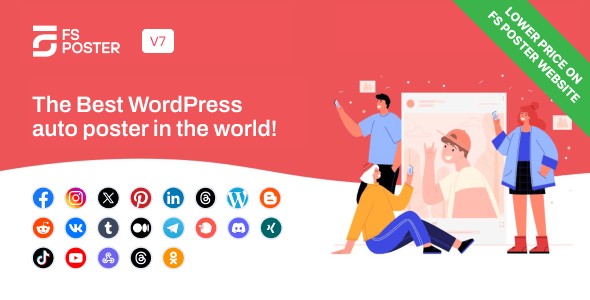
FS Poster is a powerful WordPress plugin designed to automate social media posting, schedule content, and manage multiple accounts from a single dashboard. It helps businesses save time, increase reach, and maintain consistency across all major social platforms.
This article explores FS Poster in detail, covering its core features, benefits, and why it’s one of the most popular social media automation plugins for WordPress.
What Is FS Poster?
FS Poster is a WordPress social media auto publishing and scheduling plugin that allows users to automatically share WordPress posts, pages, products, and custom content types to multiple social media platforms.
Instead of manually copying links and posting them one by one, FS Poster automates the entire process ensuring your content reaches your audience instantly and consistently.
It is especially popular among:
- Bloggers and content creators
- E-commerce store owners
- Digital marketers
- Agencies managing multiple clients
- Businesses running content-heavy websites
Key Features of FS Poster
1. Automatic Social Media Posting
FS Poster automatically publishes your WordPress content to connected social media accounts as soon as it goes live. You can choose to auto-post:
- Blog posts
- Pages
- WooCommerce products
- Custom post types
This ensures your content is shared immediately without any manual effort.
2. Advanced Post Scheduling
FS Poster includes a built-in scheduler that lets you plan posts in advance. You can:
- Schedule posts for specific dates and times
- Create recurring schedules
- Bulk schedule older posts
This feature is ideal for maintaining a consistent posting calendar and reviving evergreen content.
3. Support for Multiple Social Media Platforms
FS Poster supports a wide range of popular platforms, including:
- Facebook (profiles, pages, groups)
- Twitter / X
- LinkedIn (profiles and company pages)
- Telegram
- Tumblr
- VK
- OK.ru
- Medium
- Google Business Profile
This wide coverage allows businesses to manage nearly all their social channels from one place.
4. Multiple Accounts and Profiles
One of FS Poster’s strongest features is its ability to connect multiple accounts per platform. This is perfect for:
- Agencies managing several clients
- Brands with multiple pages or regions
- Influencers with multiple profiles
Each post can be shared to one or many accounts at once.
5. Custom Post Content for Each Platform
Different social networks require different content styles. FS Poster allows you to:
- Customize captions per platform
- Add hashtags dynamically
- Use short links
- Include emojis and mentions
- Apply platform-specific formatting
This ensures your posts feel native to each network rather than copied and pasted.
6. Image, Video, and Link Sharing
FS Poster supports rich media posting, including:
- Featured images
- Custom images
- Videos
- Link previews
This helps improve engagement and click-through rates on social media.
7. Hashtag and URL Management
FS Poster provides smart tools for:
- Auto-generating hashtags from categories or tags
- Adding fixed or dynamic hashtags
- Shortening URLs
- Tracking link performance
These features help optimize posts for reach and discoverability.
8. Reposting and Evergreen Content Sharing
You can easily re-share older posts to keep your content alive. FS Poster allows:
- Bulk reposting
- Randomized post selection
- Scheduled evergreen campaigns
This is especially useful for blogs with a large archive of valuable content.
9. Direct Posting Without WordPress Content
FS Poster isn’t limited to WordPress posts. You can also:
- Create and publish direct social posts
- Share promotional content
- Post announcements or updates
All from within the WordPress dashboard.
10. Detailed Logs and Error Tracking
FS Poster includes a logging system that shows:
- Successfully published posts
- Failed posts
- Platform-specific errors
This transparency helps you troubleshoot issues and maintain reliable automation.
11. Team and Role Management
For larger teams, FS Poster allows controlled access so different users can manage posts without compromising account security.
12. GDPR-Friendly and Self-Hosted
FS Poster’s social media scheduler can post to 22 social networks and services directly from WordPress when configured with the latest version of the plugin. It’s designed to automatically share your WordPress posts, images, links and even first comments across multiple social platforms.
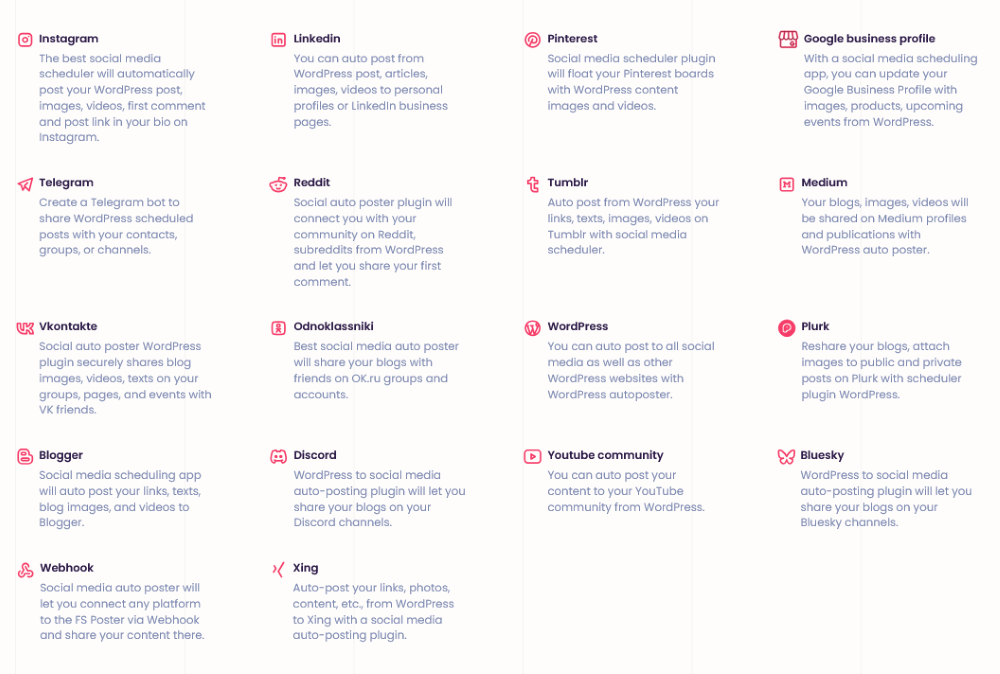
Unlike cloud-based social media tools, FS Poster runs entirely on your own WordPress site. This means:
- No monthly subscription
- Better data control
- GDPR-friendly setup
Benefits of Using FS Poster
- Saves time by automating repetitive tasks
- Improves consistency across social platforms
- Boosts content reach and engagement
- Reduces dependency on third-party tools
- One-time purchase, no recurring fees
Who Should Use FS Poster?
FS Poster is ideal for:
- Bloggers who want automatic content promotion
- E-commerce stores sharing new products
- Agencies managing multiple brands
- Marketers running evergreen campaigns
- Businesses seeking a cost-effective social media solution
Final Thoughts
FS Poster is a robust and feature-rich WordPress plugin that simplifies social media management. By combining automation, scheduling, multi-platform support, and customization, it offers an all-in-one solution for businesses and creators who want to scale their social presence efficiently.
If you’re looking for a reliable, self-hosted alternative to expensive social media tools, FS Poster is a powerful option worth considering.